Build Size Diff
Compare two builds and see exactly what grew. Every number is read from the BuildReport Unity writes at the end of a build, so nothing is estimated. Set a budget and it fails CI when a build goes over it.
$29one-time · Unity Editor tool · ZIP (34 KB)
Buy with card
The download link appears right after payment, and a license key is emailed to you.
What it reports
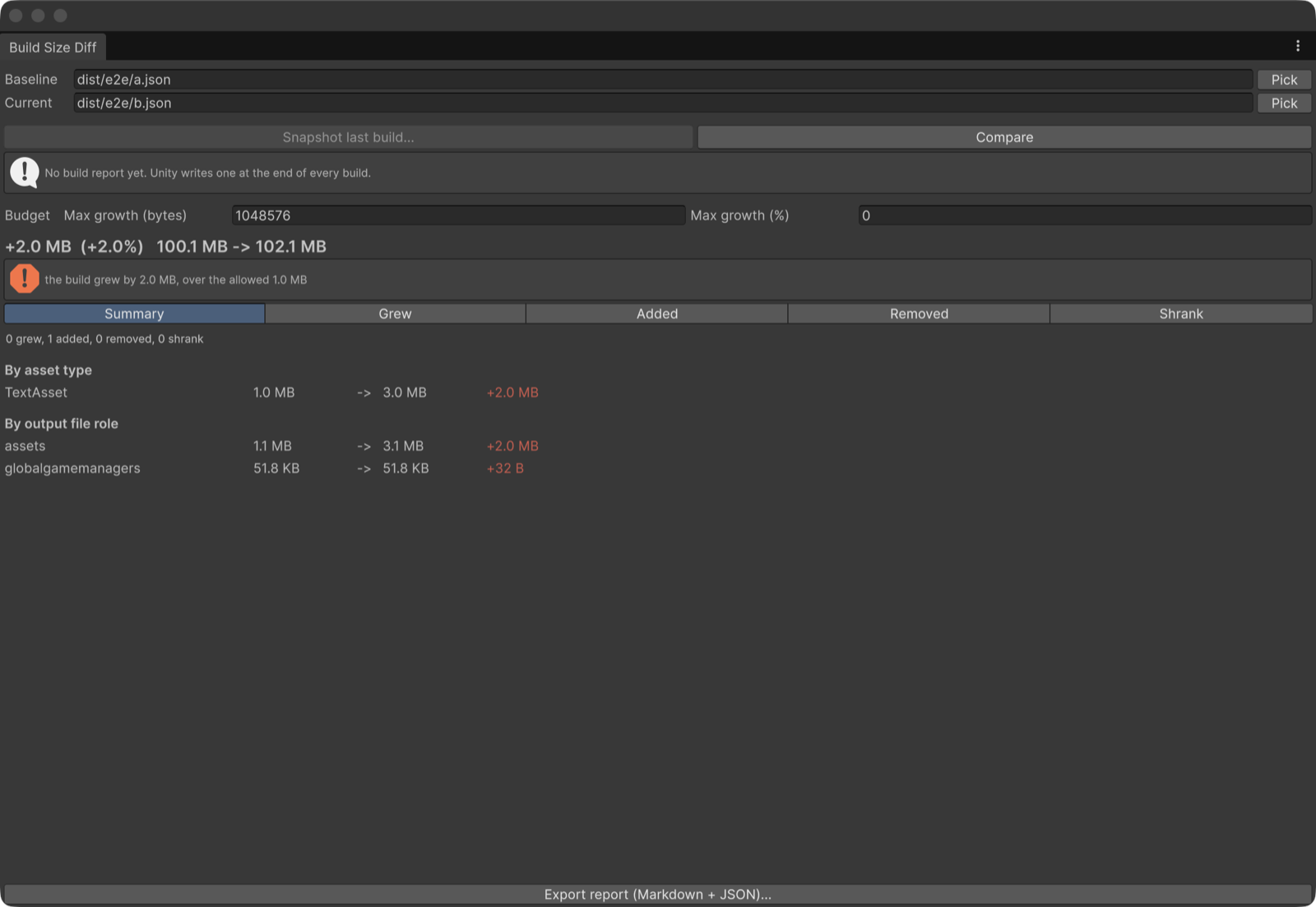
- The assets that grew, by name, with packed sizes, ordered by how much they moved, separated into grew, added, removed and shrank.
- Growth and savings are kept apart, so a regression hidden by an unrelated saving still fails.
- Four independent CI budgets (total bytes, total percent, per-asset growth, new asset size), exit code 2 when one is exceeded. With no budget set it only reports.
- An unreadable budget stops the run instead of silently disabling the check. A cross-platform comparison fails by default instead of printing a meaningless delta.
- Markdown for a pull request comment and JSON for everything else, from the same comparison. An Editor window and two batch mode entry points.
Measured, not claimed
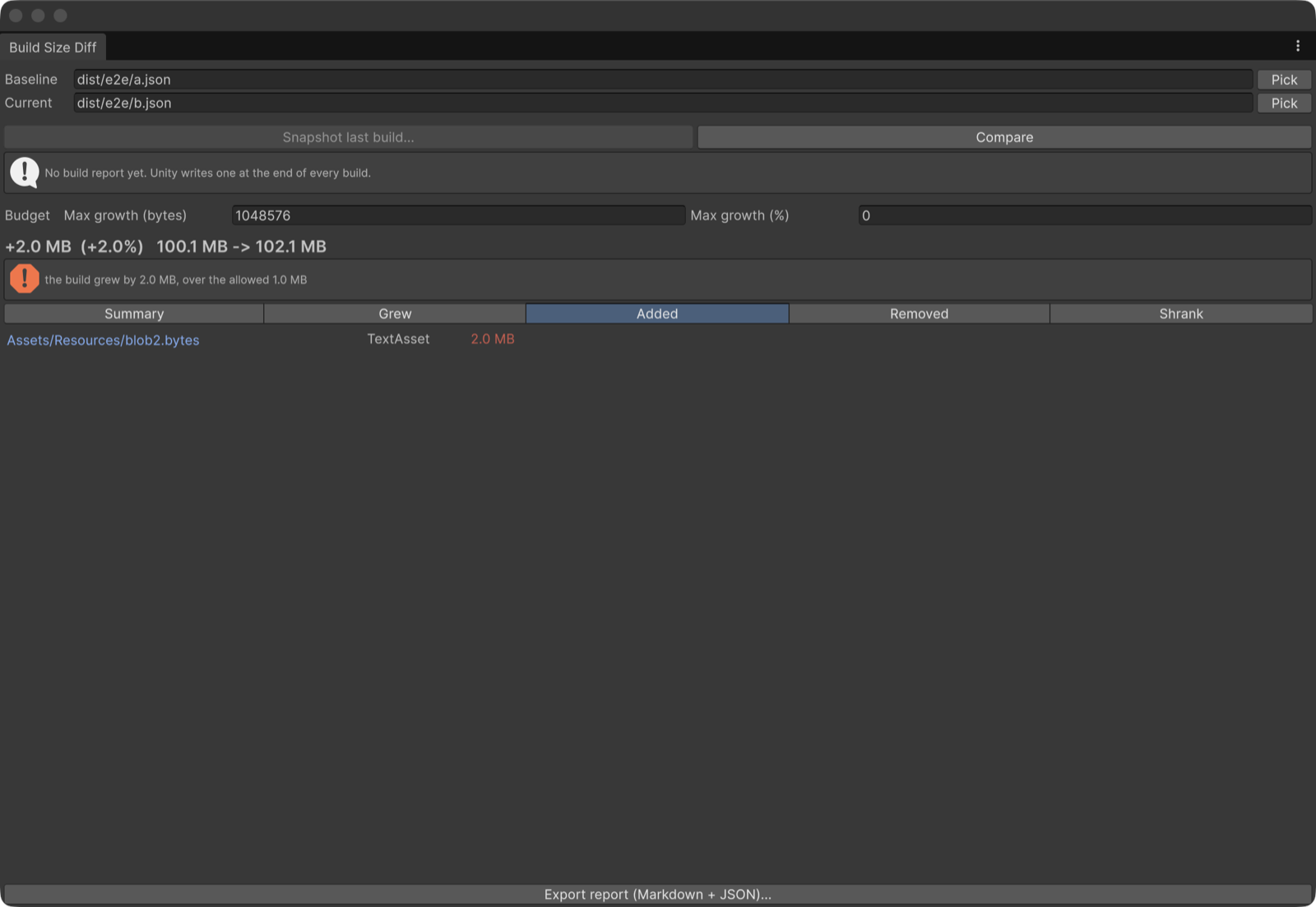
Verified end to end on macOS (StandaloneOSX), Unity 6000.0.78f1: two real player builds, with one 2.0 MB asset added between them.
| Check | Result |
|---|---|
| Total | 100.1 MB → 102.1 MB (+2.0 MB, +2.0%) |
| What grew | one new asset, Assets/Resources/blob2.bytes (TextAsset, 2.0 MB), and nothing else |
| Budget 1 MB | fails, exit code 2 |
| Larger budget | passes |
Unity versions
- Tested on Unity 6000.0.78f1 (Unity 6), macOS Editor: the EditMode tests (44 tests, all passing) and the runs described on this page.
- The package declares Unity 2022.3 as its minimum. It has not been tested on 2022.3. If it does not work there, the refund below applies.
- Editor-only: no runtime code, nothing is added to your builds. No dependencies.
How this was made: AI disclosure
The C# code, the EditMode tests, the documentation and this page were written with the help of a large language model,
then read, run and corrected by a person before release. No figure on this page was written by the model:
every number comes from running the tool on a real Unity project and reading its output, and every screenshot
is a capture of the tool's own window in Unity.
What you get
- A ZIP (34 KB) with the
.unitypackage(19 files: full C# source, EditMode tests, documentation, two demo snapshots), the license and the changelog. - Import it with Assets > Import Package > Custom Package…. It installs under
Assets/Build Size Diff/. - Updates: re-download the current version at any time from your thanks page (the link is in your email).
License
- One purchase is one licence for one person. Use it in any number of your own projects, commercial or not, modify the source for them, and run it on the build and CI machines that build them.
- Not allowed: redistributing or reselling the tool or its source, or sharing your copy with people who have not bought one.
- The full text is
LICENSE.mdin the package.
Payment and refunds
- Card payment via Stripe, one time. A license key and a download link are emailed to you and shown right after payment.
- Refund within 14 days of purchase, no reason needed, as stated in our legal notice: email hello@tech-athletes.com. After a refund the download stops working.