URP Shader Variant Auditor
Unity does not tell you how many shader variants a build will compile until it is already compiling. This tool reads the project and tells you before the build, alongside the numbers the build log measured afterwards, and names the cause when the count is far too high.
$49one-time · Unity Editor tool · ZIP (61 KB)
Buy with card
The download link appears right after payment, and a license key is emailed to you.
What it reports
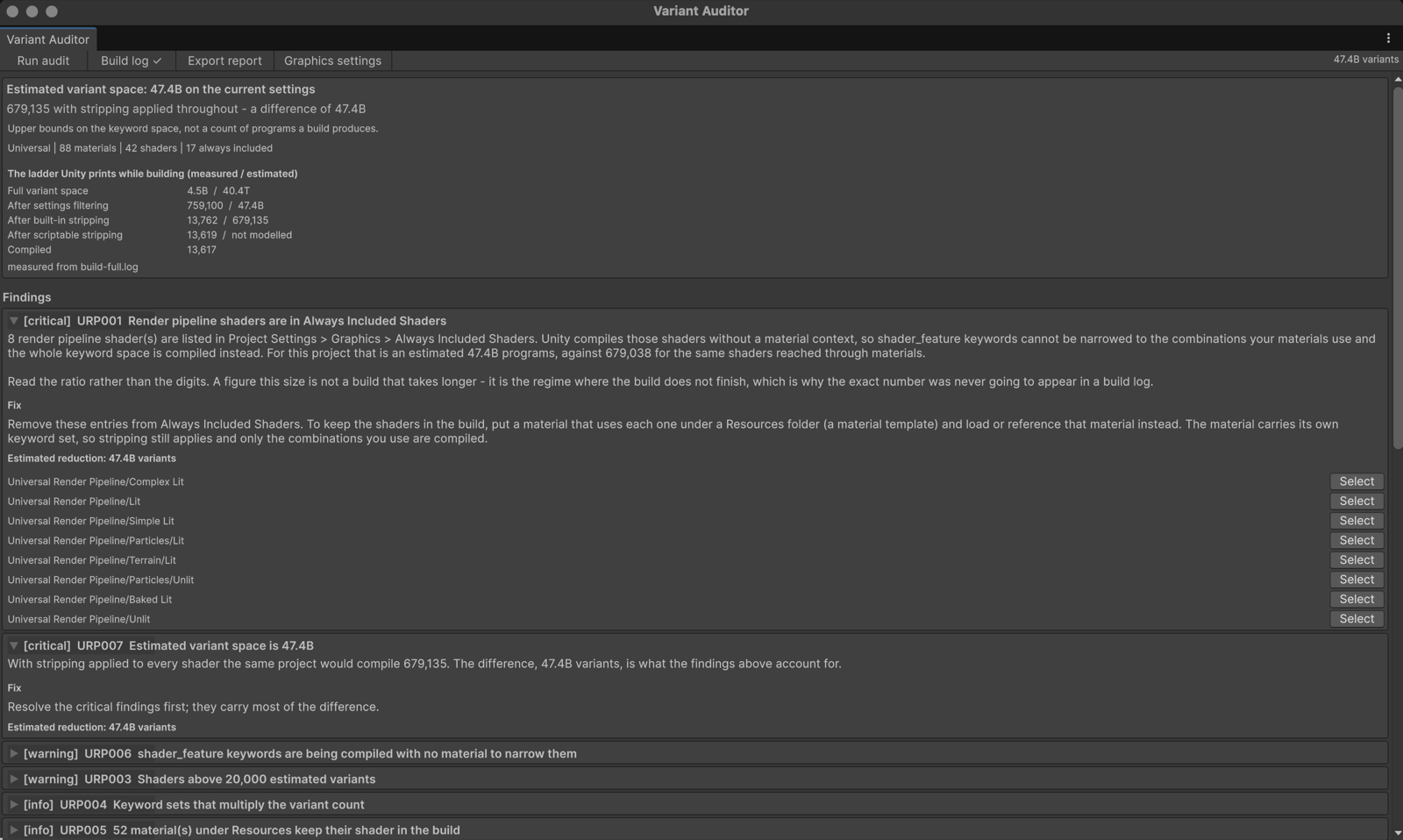
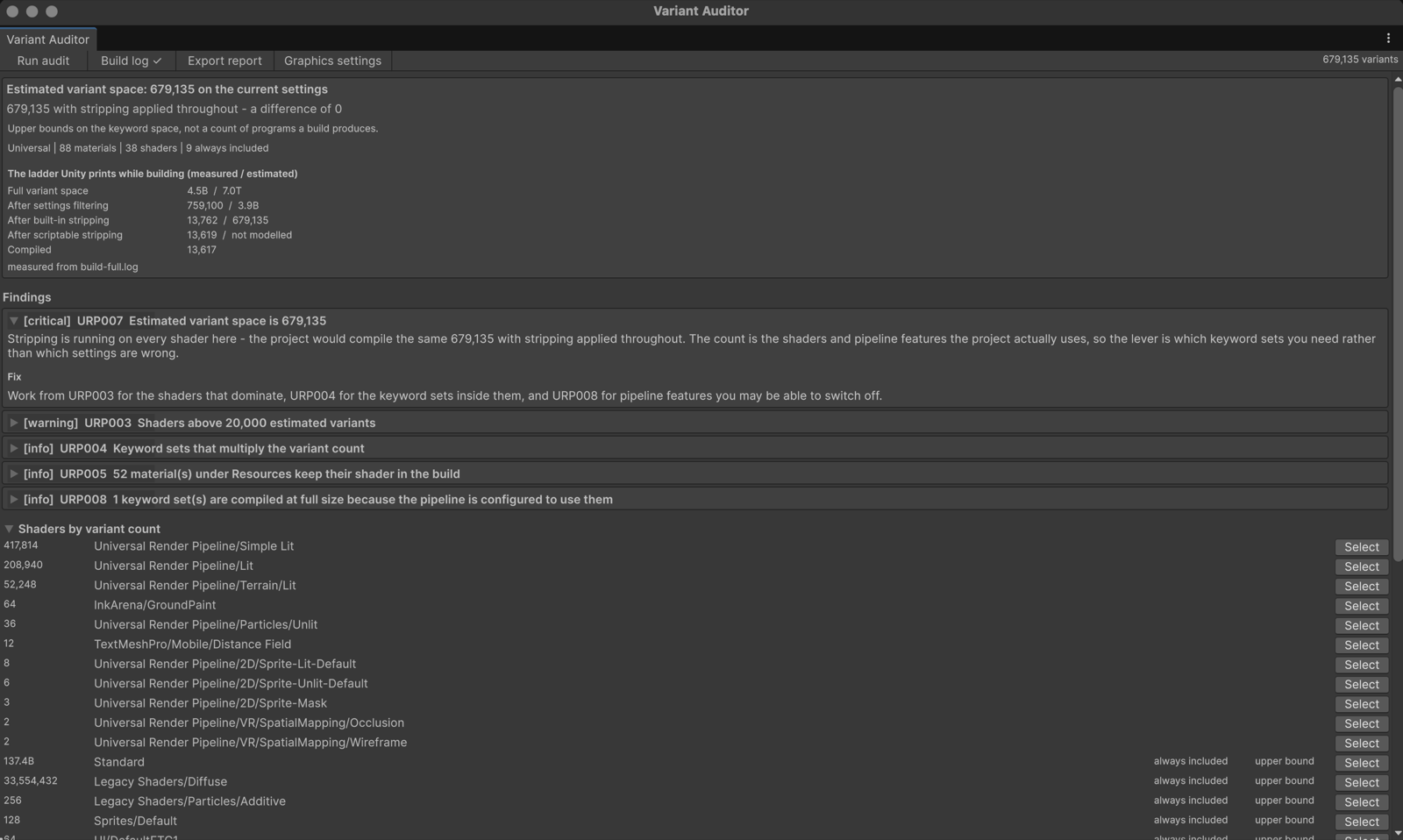
- An estimate before the build: the variant space on your current settings, and the space with stripping applied throughout. If the two differ, something is stopping Unity's stripping, and the difference is what a settings change would recover.
- The measured figures after the build: point it at a build log and Unity's own per-stage counts appear beside the estimates.
- The cause, by name: rules such as URP001 (render pipeline shaders in Always Included Shaders) name the shaders involved and the fix.
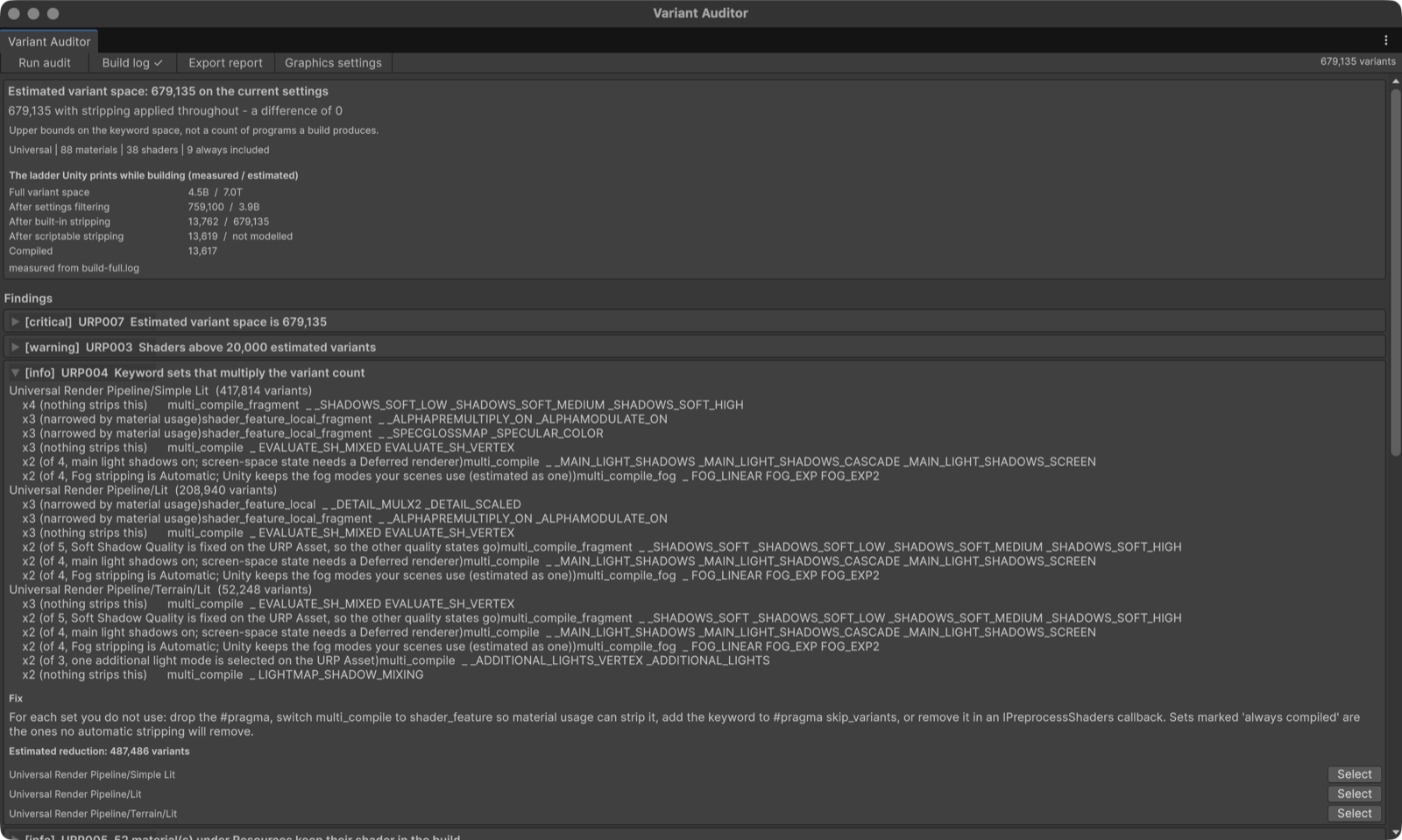
- Why each keyword set was or was not reduced, for the heaviest shaders, and a ranked list of shaders by variant space.
- A batch mode entry point for CI.
Measured, not claimed
One Unity 6000.0.78f1 project (URP 17.0.4, 88 materials). Two states that differ only in whether the URP shaders are in Always Included Shaders:
| State | Estimated variant space | Difference from stripped |
|---|---|---|
| Healthy | 679,135 | 0 |
| URP shaders always included | 47.4B | 47.4B (URP001 critical) |
The measured column comes from a real macOS player build of that project:
| Stage (from the build log) | Variants |
|---|---|
| Full variant space | 4.5B |
| After settings filtering | 759,100 |
| After built-in stripping | 13,762 |
| After scriptable stripping | 13,619 |
| Compiled | 13,617 |
Unity versions
- Tested on Unity 6000.0.78f1 (Unity 6), macOS Editor: the EditMode tests (26 tests, all passing) and the runs described on this page.
- The package declares Unity 2022.3 as its minimum. It has not been tested on 2022.3. If it does not work there, the refund below applies.
- Editor-only: no runtime code, nothing is added to your builds. No dependencies.
How this was made: AI disclosure
The C# code, the EditMode tests, the documentation and this page were written with the help of a large language model,
then read, run and corrected by a person before release. No figure on this page was written by the model:
every number comes from running the tool on a real Unity project and reading its output, and every screenshot
is a capture of the tool's own window in Unity.
What you get
- A ZIP (61 KB) with the
.unitypackage(25 files: full C# source, EditMode tests, documentation, a demo scene), the license and the changelog. - Import it with Assets > Import Package > Custom Package…. It installs under
Assets/URP Shader Variant Auditor/. - Updates: re-download the current version at any time from your thanks page (the link is in your email).
License
- One purchase is one licence for one person. Use it in any number of your own projects, commercial or not, modify the source for them, and run it on the build and CI machines that build them.
- Not allowed: redistributing or reselling the tool or its source, or sharing your copy with people who have not bought one.
- The full text is
LICENSE.mdin the package.
Payment and refunds
- Card payment via Stripe, one time. A license key and a download link are emailed to you and shown right after payment.
- Refund within 14 days of purchase, no reason needed, as stated in our legal notice: email hello@tech-athletes.com. After a refund the download stops working.